Firmware Update
In order to update the Display firmware it is required to be connected to a Wifi network that has an internet connection. (for example using the mobile phone as a Wifi HotSpot).
The Wifi network created by FDR device does not provide internet connection, so it is not possible to update the Display firmware using the FDR device Wifi network.
Firmware Update Process
Access the Firmware menu, in Settings / Firmware Update
After being connected to a Wifi network with internet connection, the status should be Waiting to start....
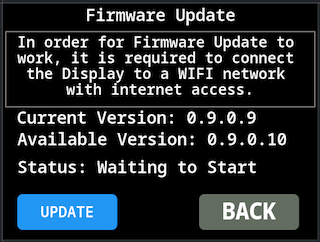
Press the button Update. The status information should change to Starting Firmware Update, if the indication No Update Available shows it means that no new version is available on the update server.
The field Available Version will show the latest firmware version available on the update server, it may show blank if no connection to the update server was possible.
The indication Preparing FLASH for update... may last for quite a while (30s), before changing status to Downloading. This will be redesigned in future versions to improve user experience.
If a firmware version is available the display will download the new version, the status will change to Status: Downloading firmware… with an indication of the progress percentage.
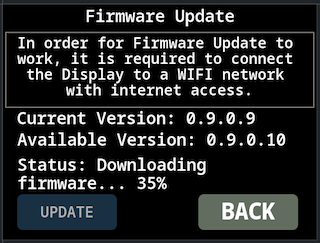
Upon downloading the new firmware version the Display will reboot to apply the new firmware.