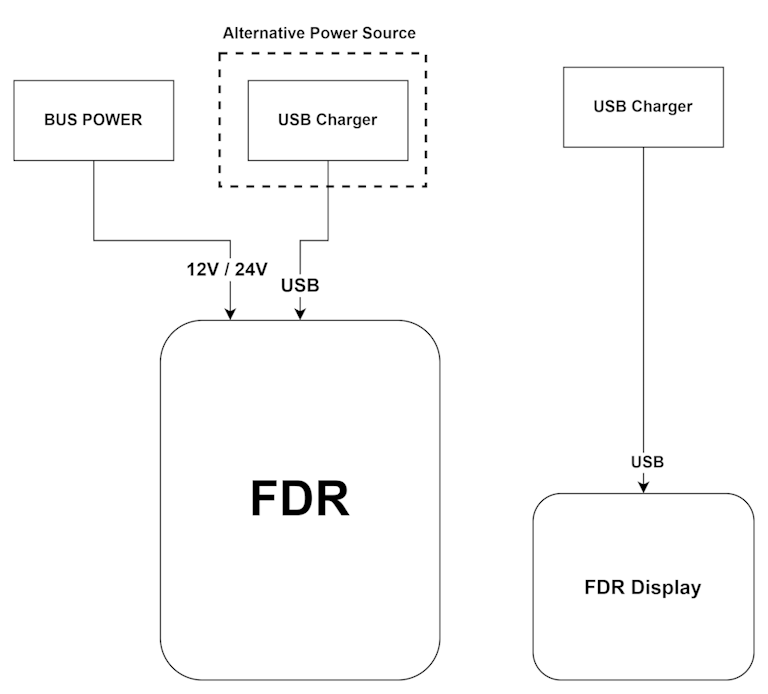
FDR Power Connection
Connection diagrams examples between FDR and some of the accessories that is compatible.
warning
Always follow industry best practices and aircraft manufacturer recommendations when connecting devices.
important
When powering the FDR from the aircraft main bus voltage, make sure that the connection is protected by a dedicated circuit breaker (or a circuit breaker used for non critical systems), and/or alternatively add an 1A fuse in the cable connecting to FDR. The default cable supplied already includes the fuse.
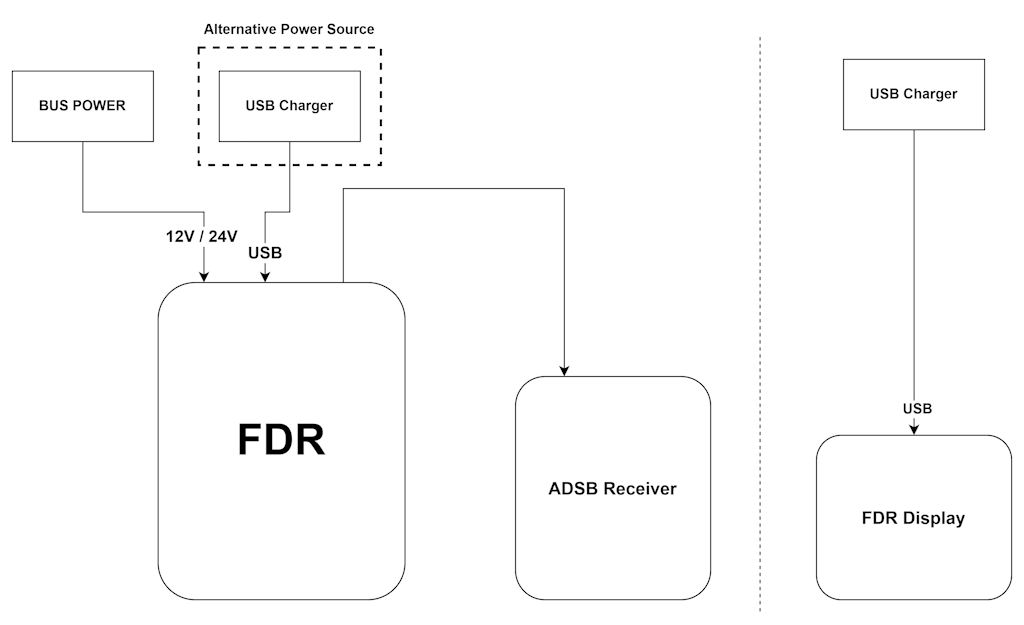
With FDR, ADSB Receiver and Display
FDRpoweringFDR ADSB ReceiverandFDR Display
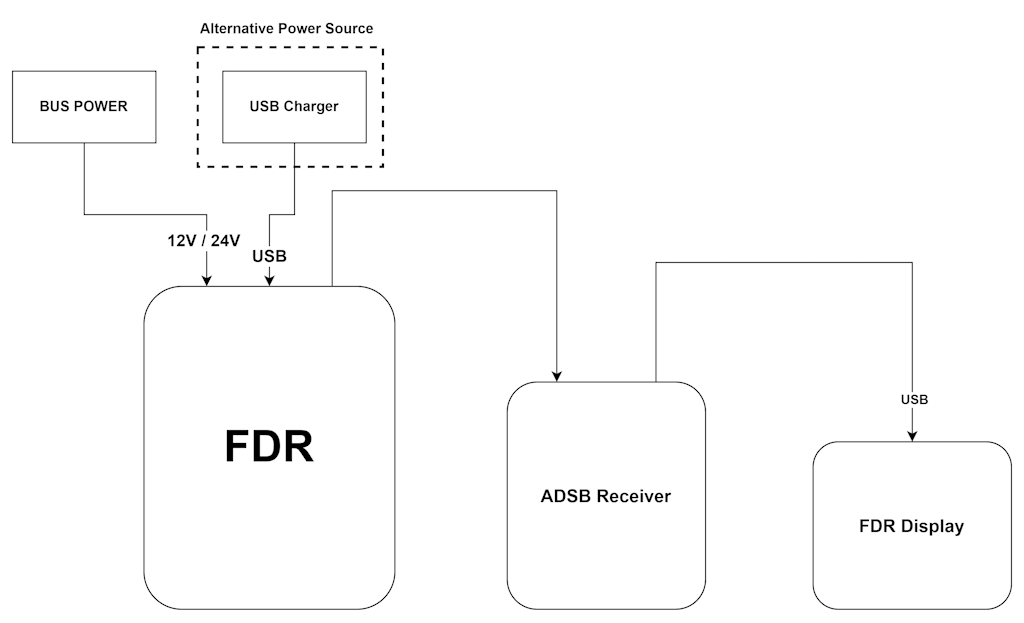
This is the recommended approach.
FDRpoweringFDR ADSB Receiver,FDR Displaypowered separately via USB Charger or internal Battery.
FDRdoes not power any pheripheral, BoothFDR ADSB ReceiverandFDR Displayare powered via USB Charger.
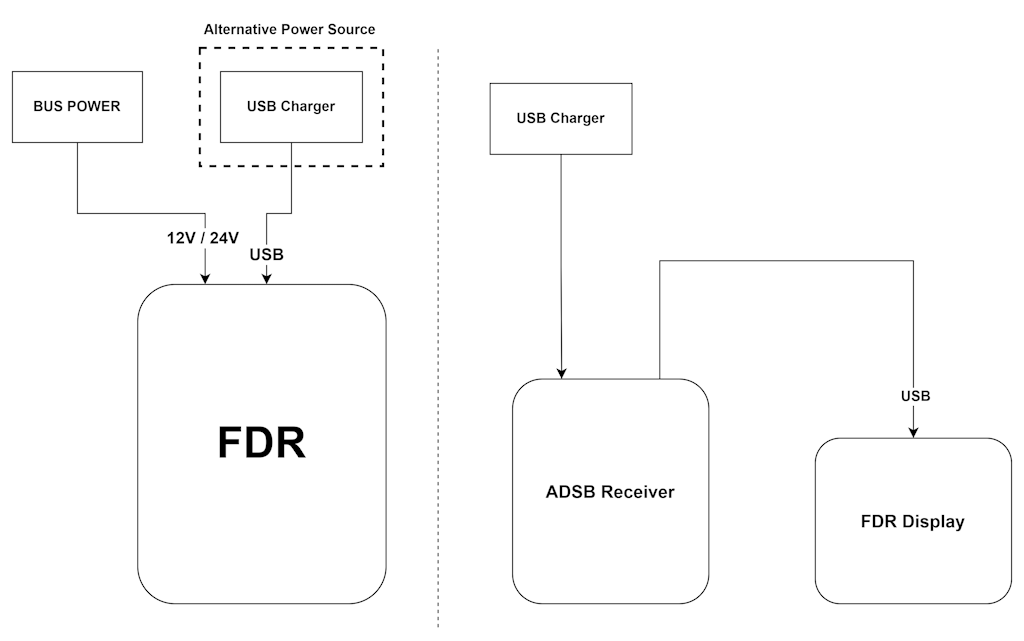
It is also possible, to have the FDR Display to be powered only by the battery, not being necessary the connection between FDR ADSB Receiver and FDR Display
With FDR and Display
FDRpoweringFDR Display
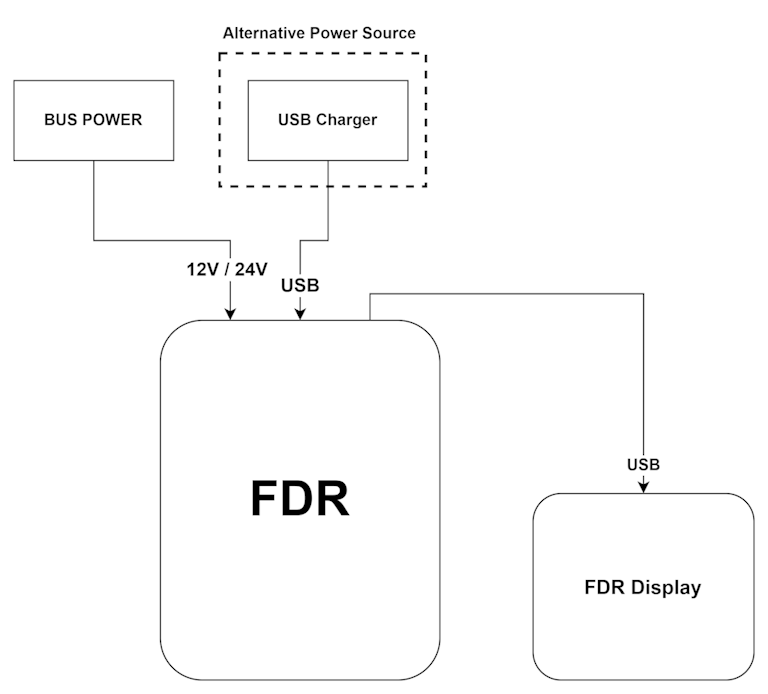
This is the recommend approach.
FDRandFDR Displaywith separated power