FDR ADSB Internal WebPage
The device allows the access to an internal webpage when connected to the same WIFI network (either by being connected to the Wifi HotSpot or via the Wif Network the device is connected, it's easier to access the WebPage via HotSpot since the IP address is known).
Current firmware only allows one connection at a time to the internal webpage.
Section Device Info

Allows to view the current device name and current firmware version.
Section Metrics
ADSB Receiver
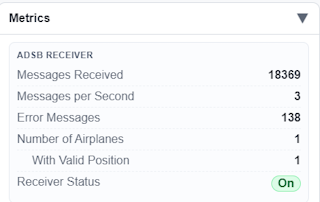
Information about internal ADSB Receiver radio, including:
- Number of Messages received since last power ON.
- Rate of messages per second
- Number of Errors decoding messages
- This number may be higher than expected, since non supported ADSB messages are counted as error.
- Number of Airplanes detected
- Number of Airplanes detected, and with valid GPS Position received
- Receiver generic status
FDR
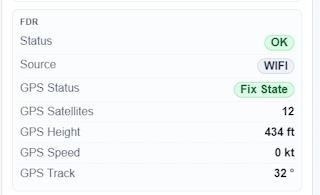
Information regarding FDR Connection status and GPS status
FDRConnection StatusFDRConnection method (WIFIorSerial)FDRGPS Information
Internal

Information regarding device internal status.
Section Data
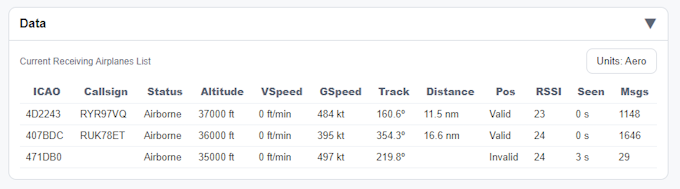
Table with details about aircraft being detected by the ADSB Receiver. Options to see values in two units, Aero (with distance in nm and speed in knots, etc...) or Metric.
Detected aircraft will persist in this table until after 30s without any message being received.
Section WIFI Configuration
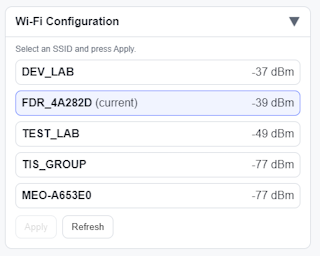
Visualization of current Wifi networks being detected by the device, the Wifi network that the device is using will appear highlighted (current). This highlight does not mean the device is connected to it, just that it is configured for that network, see Network Section for details about that.
There are two buttons for action:
Refresh, forces a new scan of Wifi Networks, the table will be cleared and populated again after a couple of secondsApply, to select a new Wifi Network for the device to connect to, button only appears if a new Wifi network (different fromcurrent) is selected
Section ADSB Config
Changing this setting without being directed by FlyData personal, may cause the device to stop operating normally.
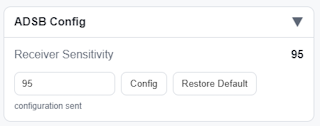
Allow configuring on the device a new ADSB radio receiver sensitivity level. Do not change this value unless requested.
Section Network
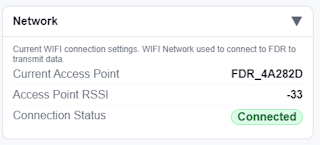
Indication of current configured WIFI Network status:
- Wifi Network name
- Wifi Network signal strength
- Wifi Network connection status